
What Does the “Run” Button Do on a Thermostat? The Most Detailed Answer to the Question
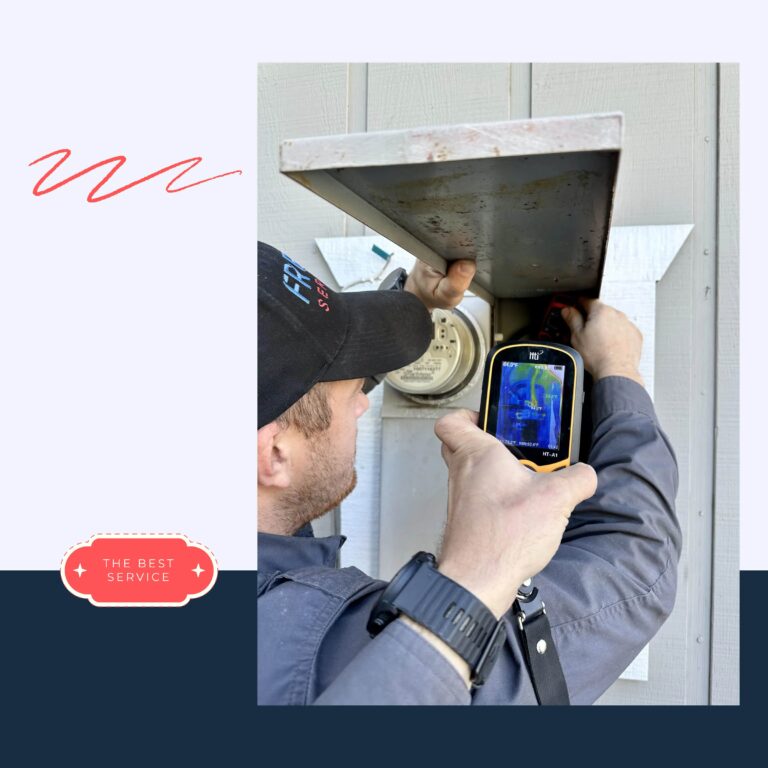
So, you’ve bought an air conditioner. The Freon Service technicians have connected everything and are now busy with the final touches and cleanup. Meanwhile, you’re exploring the functions of your home’s guardian of cool and warm air.
You see two buttons: Hold and Run.
What do they actually do?
Spoiler:
- Hold means “stay right here and don’t move.”
- Run is about “follow the schedule I’ve already set.”
But there are nuances — and that’s what this article is about.
The Magic of the “Run” Button on Thermostat
This is the moment of truth: what does Run actually do?
- It doesn’t create any modes on its own.
- All it does is switch the thermostat into “follow the plan” mode — the plan you programmed earlier.
If you haven’t programmed anything, Run is basically like:
“No schedule? Then I change nothing. Holding whatever temperature we’re on right now.”
How to make the run work perfectly? You need to create your own “climate calendar”. Typically, it works like this:
- You open the thermostat menu: Schedule / Program / Time Wizard / Climate Planner.
- You pick the days — individually or in groups (weekdays together, weekends separately).
- You set the “temperature eras” of the day. For example:
- Wake up, stretch, getting ready for work.
6:00–8:00 – set to 70 °F.
- Wake up, stretch, getting ready for work.
- Working hours, but the AC stays home alone.
8:00–17:00 – set to 80 °F.
- Working hours, but the AC stays home alone.
- You’re back and want comfort and coolness.
17:00–22:00 – cool the home to 73 °F.
- You’re back and want comfort and coolness.
- Night cocoon — best sleep happens in chillier air.
22:00–6:00 – lowered nighttime 68 °F.
- Night cocoon — best sleep happens in chillier air.
- You save this schedule.
So, what does “Run” schedule mean on a thermostat?
It means that Run now becomes the flight captain — automatically adjusting how hard the system cools or heats during the hours you programmed.
You can always make small edits.
Just look at the display on your thermostat. It shows:
- What’s happening right now
- Which “temperature scene” is coming next in the schedule
If something feels off — maybe it was too warm at night or too chilly in the morning — simply adjust the numbers.
Or if you have a crazy day at work and will be home an hour or two later, shift the schedule.
Models like Honeywell, Emerson, Nest, Ecobee let you do all of this remotely.
Running late with a report?
Just “notify” your climate assistant through the app — and it will hold off cooling or heating until you’re on your way home.
“Hold” and “Run” on Thermostat: Does One Replace the Other?
In this part, we’ll briefly outline what happens if there’s no schedule set.
Here’s the deal: the magic falls apart. If you press Run without a schedule, the thermostat:
- Just holds the current temperature.
- Doesn’t change anything by the hour.
- Behaves like a regular “manual mode”.
So, if there’s no schedule, “Run” and “Hold” on thermostat are the same?
No — one does not replace the other.
It’s just that if there’s no schedule, Run “doesn’t know what to do.” That’s why it seems like it behaves like Hold.
- Hold interprets the press as: “Sit tight and don’t change a thing — keep this temperature until I say otherwise.”
- Run interprets it as: “Time to follow the schedule I set for you.”
But if there’s no schedule?
Then the thermostat is like: “Um… no schedule… okay, I’ll just sit here and hold the current temperature.”
That’s why from the outside, “Run” and “Hold” on thermostat may look the same — but in reality, they’re very different.
With a standard setup, there’s a default number, for example 72 °F, and your obedient little helper does this:
- Turns cooling on when it gets warmer.
- Turns it off once it hits 72 °F.
- Doesn’t care if you’re home or away, or if you want it cooler at night.
And this goes all day long — even if the house is empty, even if the night is cooler.
No morning/evening modes. No clever tricks. No “smart” behavior.
It’s a worker, not a strategist.
In the current context:
- Energy gets wasted
- Comfort swings up and down
- And Run and Hold sit sadly in the corner because they’re ignored.
Mistake with Humidity and “Run” vs “Hold” on Thermostat
You’d think it’s hard to mess up just two simple buttons — but we can surprise you.
One common mistake is keeping Permanent Hold on without considering humidity.
Many users set 72 °F when nobody’s home in summer, or keep 73 °F all winter. At first glance, it seems fine — there’s stability, right?
But this approach causes some problems:
- The HVAC works longer than needed.
- Energy bills go up.
- Electricity and gas costs rise.
- Humidity can drift out of the optimal 40–60 % range, especially if the AC is running and the fan is constantly blowing.
- Nonstop work tires out the system components. Your hardworking helper might need repairs sooner than expected.
Tips from Freon Service technicians on thermostat “Hold” vs “Run”:
- If you want short-term temperature changes in a room, use Temporary Hold
- Keep Permanent Hold only when necessary, like if you’re away for a long time
- Watch humidity levels — if it gets too high or low, turn on automatic humidifiers/dehumidifiers, or use zoning to control individual rooms.
“Hold” vs “Run” on Thermostat: Ignoring Zoning
Trying to make your entire home live in a single “climate zone” is another common mistake.
Think of your home as a tiny kingdom:
- The bedroom loves it cool.
- The living room and kids’ room enjoy cozy warmth.
- And the office? A real perfectionist.
But many people do this: they hit one of our hero buttons — “Run” vs “Hold” thermostat — and assume the house will “figure itself out.”
Spoiler: it won’t. Chaos ensues:
- One room turns into an ice cave, another into a mini-sauna.
- Guests bite their tongues to avoid complaints and rush home the first chance they get.
- The family migrates through the house like migratory birds.
But what really hits home is this: the system isn’t slacking — it’s overworking, like a barista at rush hour:
- Compressor, furnace, and fans kick in more often than needed, trying to please everyone at once.
- Eventually, they just get worn out.
- Energy bills climb.
- Comfort disappears.
Don’t fall into the trap of “I’ll control the whole house with one thermostat.” Set a separate schedule for each zone.
Taking everything into account: don’t let your climate warrior run on autopilot:
- Check settings manually — many features are off by default.
- Peek into the manual (yes, actually useful to open it).
- If you have zoning, make sure every zone is connected to Wi-Fi or the main thermostat.
With a smart approach to “Hold” or “Run” on thermostat, your HVAC will stop being a “money vacuum.” Your home will be quieter, more comfortable, cheaper to run, and healthier to live in.